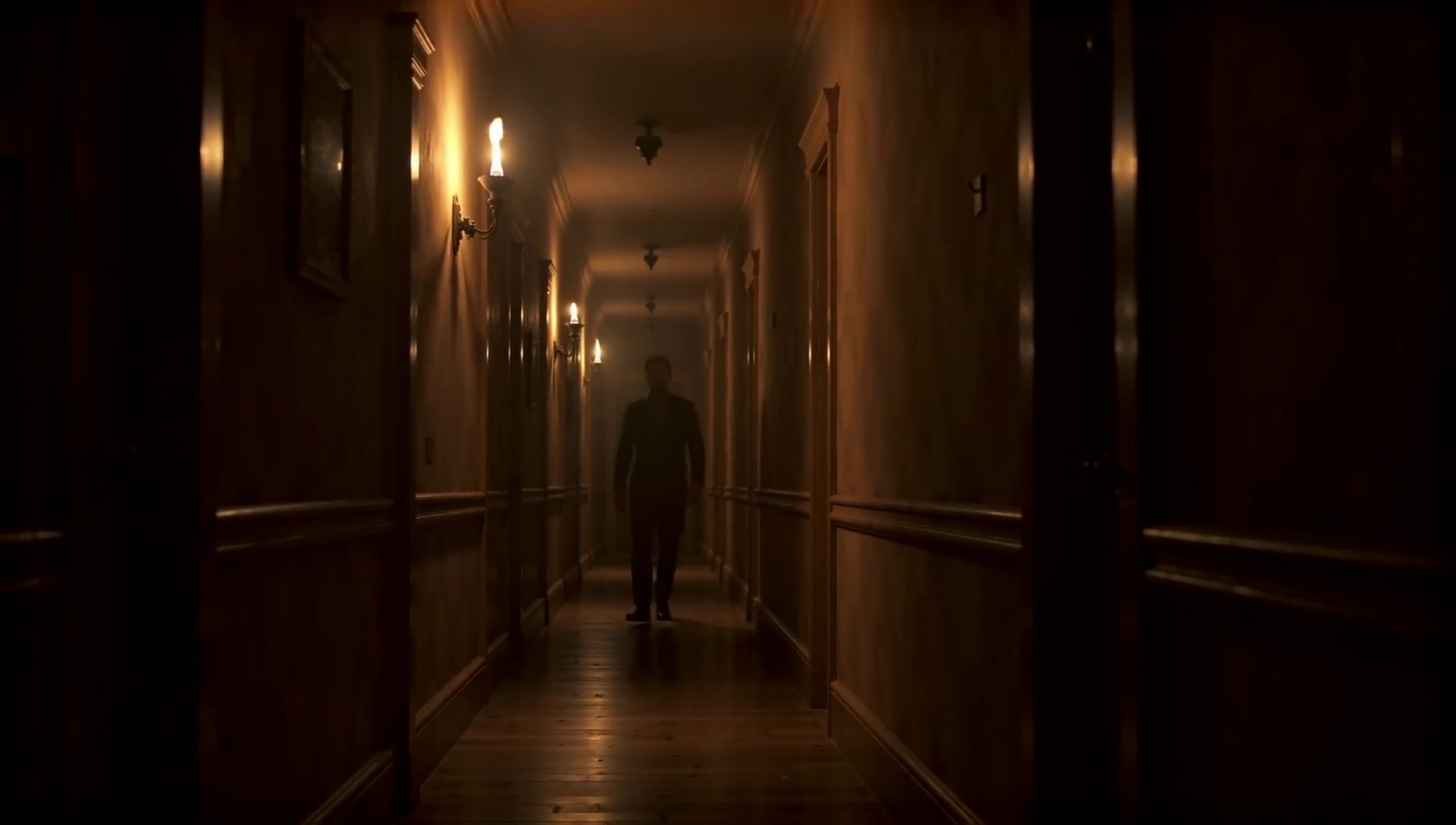
Still frame from an AI-generated video — LTX-2 19B Distilled on an RTX 3090
Text-to-video generation has crossed the “runnable on consumer hardware” threshold. Lightricks’ LTX-2 19B Distilled model generates 5-second, 1080p videos with audio on a single RTX 3090 — no cloud GPU rental, no API costs, no uploaded data. The catch is that it takes some work to get there, and the model has non-obvious constraints that will waste hours if you do not know about them upfront.
I ran 12 prompts across different genres to stress-test the model. Here are the results — every video paired with the exact prompt that generated it:
Victorian Hallway
A narrow Victorian hallway stretches into shadow, lit by a single flickering gas lamp on the wall. Dust motes drift through the amber light. Faded wallpaper peels at the edges. The camera creeps forward slowly as floorboards creak beneath unseen footsteps. A distant clock ticks in another room.
Analysis Minimal subject motion, strong atmospheric textures, slow deliberate camera movement. The flickering light gives the scene life without requiring complex object interaction.
Spider Web Dew
Morning dew clings to the delicate threads of a spider web stretched between two blades of grass. The camera captures an extreme macro shot as a single dewdrop trembles, refracting the sunrise into tiny rainbows. A gentle breeze causes the web to sway. The soft chirping of early morning birds fills the air.
Analysis Macro subjects with natural subtle motion are LTX-2's sweet spot. The trembling dewdrops and swaying web are physics-consistent motion the model handles well.
Jazz Pianist
A jazz pianist's weathered hands move across ivory keys in a dimly lit smoke-filled club. Close-up on the fingers as they glide through a melancholy chord progression. Warm amber stage light catches the worn edges of the keys. The camera slowly pulls back to reveal the piano. A mellow saxophone accompanies the melody.
Analysis Hands-on-keys is a focused, repetitive motion the model reproduces well. Minor face warping only in the final frames as the camera pulls back.
Shared settings: LTX-2 19B Distilled FP8, euler_ancestral sampler, CFG 1.0, 8 Pass 1 steps + 3 Pass 2 refinement steps, 121 frames at 24 fps. Only the prompts differ.
This guide covers everything I learned setting up LTX-2 on an RTX 3090 (24 GB VRAM, 64 GB RAM) with ComfyUI: the weight streaming architecture that makes this possible, a head-to-head FP8 vs BF16 checkpoint comparison, the distilled model constraints that most online guides get wrong, and the prompting lessons that make the difference between a cinematic clip and a Ken Burns slideshow.
Table of contents
Open Table of contents
- Hardware Requirements
- How Weight Streaming Works
- The Two-Pass Pipeline
- FP8 vs BF16: The Checkpoint That Changes Everything
- The Distilled Model Trap
- Prompting: Video Style, Not Photography Style
- Image-to-Video Pipeline
- API-Driven Generation with ComfyUI
- Performance Summary
- What I Would Do Differently
- Setup Checklist
Hardware Requirements
LTX-2 19B is a large model. The checkpoint alone is 27-40 GB depending on precision, and it needs a text encoder (Gemma 3 12B, 8.8 GB) and a spatial upscaler (950 MB) alongside it. You cannot fit this in 24 GB of VRAM.
The minimum practical setup:
| Component | Requirement | Why |
|---|---|---|
| GPU VRAM | 24 GB (RTX 3090/4090) | Model layers stream in and out during inference, peaking at ~23 GB |
| System RAM | 64 GB | Offloaded model weights live here (~22-28 GB depending on checkpoint) |
| Disk swap | 32 GB recommended | Safety net during model loading when RAM temporarily overflows |
| Storage | ~70 GB free | Checkpoint + text encoder + upscaler + output files |
With less than 64 GB RAM, you will likely OOM during model loading. With less than 24 GB VRAM, you would need to use --novram mode (CPU-only inference), which is too slow to be practical.
How Weight Streaming Works
ComfyUI’s weight streaming is what makes consumer GPU video generation possible. The concept is straightforward: the model is too large for VRAM, so ComfyUI loads what fits on the GPU and parks the rest in system RAM. During inference, it streams layers back and forth as needed.
flowchart TD
    subgraph DISK["Disk Storage"]
        LTX["LTX-2 19B Distilled FP8
Checkpoint: 27.1 GB
Text Encoder: 8.8 GB
Upscaler: 950 MB"]
    end

    subgraph RAM["System RAM (64 GB)"]
        OS["OS + Apps ~15 GB"]
        OFFLOAD["Offloaded Weights ~22 GB"]
    end

    subgraph SWAP["Disk Swap (32 GB)"]
        SPILL["Overflow during load ~10 GB"]
    end

    subgraph GPU["RTX 3090 VRAM (24 GB)"]
        LOADED["Active Layers ~23 GB"]
    end

    DISK -->|"Sequential read"| RAM
    OFFLOAD <-->|"Weight streaming
during inference"| LOADED
    RAM -->|"Spills during load"| SWAP
This is not free — streaming adds latency compared to having the full model in VRAM. But it transforms “impossible on this hardware” into “takes a few minutes.” The practical impact is that cold starts (first generation after loading) take longer than warm runs (models already in memory).
The Two-Pass Pipeline
LTX-2 uses a clever two-pass architecture to generate high-quality video:
- Pass 1: Generate at half resolution (e.g., 640x360 for a 1280x720 target) with 8 sampling steps
- Latent Upscale: 2x upscale using a dedicated spatial upscaler model in latent space
- Pass 2: Refine at full resolution with 3 additional sampling steps
This is more efficient than generating at full resolution from scratch, and it produces better results because the upscaler preserves temporal coherence across frames.
The default output is 121 frames at 24 fps — about 5 seconds of video with generated audio.
FP8 vs BF16: The Checkpoint That Changes Everything
Lightricks provides two versions of the distilled checkpoint:
- BF16 (
ltx-2-19b-distilled.safetensors): 40.3 GB, full 16-bit precision - FP8 (
ltx-2-19b-distilled-fp8.safetensors): 27.1 GB, 8-bit quantized
I ran both on the same hardware and the difference is dramatic:
| Metric | BF16 | FP8 | Improvement |
|---|---|---|---|
| Cold start time | ~13 min | ~3.5 min | 3.7x faster |
| Checkpoint size | 40.3 GB | 27.1 GB | -33% |
| Peak swap usage | 33 GB | ~10 GB | -70% |
| Peak RAM | ~50 GB | ~45 GB | -10% |
| VRAM peak | 22.9 GB | 23.3 GB | Similar |
| Video quality | Baseline | Comparable | Minimal loss |
The cold start improvement alone is worth the switch. Going from 13 minutes to 3.5 minutes of staring at a progress bar changes the experience from “go make coffee” to “that was quick.” And the swap reduction means the system stays responsive during model loading instead of thrashing the disk for several minutes.
Quality difference? In side-by-side comparisons at 1080p, I could not consistently tell which was FP8 and which was BF16. For video output where individual frame sharpness matters less than temporal coherence, the quantization loss is effectively invisible.
Recommendation: Start with FP8. Keep the BF16 checkpoint as a backup for quality-critical work, but FP8 should be your default.
The Distilled Model Trap
This is where most online guides will lead you astray. If you search for “LTX-2 best settings ComfyUI,” you will find recommendations like:
- CFG scale 3.5-4.0
- DPM++ 2M Karras sampler
- Negative prompts for quality
- 5+ refinement steps in Pass 2
These settings are for the full (non-distilled) model. They will break the distilled variant.
I tested each of these changes systematically. Here is what happened:
| Change | Result |
|---|---|
| CFG 4.0 (from 1.0) | Severe color distortion, unusable output |
| DPM++ 2M Karras sampler (from euler_ancestral) | Heavy filter-like artifacts, looked like a “1990s Photoshop filter on a music video” |
| Negative prompt added | Zero effect (mathematically cancelled at CFG 1.0) |
| Pass 2 steps increased to 5 (from 3) | Scene reinterpretation — backwards heads, flipped body orientation |
| Pass 2 starting sigma increased to 0.975 (from 0.909) | Same scene reinterpretation artifacts |
The distilled model has guidance baked into its weights through the distillation process. When you apply external CFG on top, you are double-applying guidance — like adjusting the brightness twice. The math explains why negative prompts do nothing: at CFG 1.0, the classifier-free guidance formula output = uncond + CFG * (cond - uncond) simplifies to just cond, completely cancelling the negative.
The safe parameter space for the distilled model:
| Parameter | Required Value | Explanation |
|---|---|---|
| Sampler | euler_ancestral | Distillation was trained for this sampler specifically |
| CFG | 1.0 | Guidance is baked into weights |
| Pass 2 starting sigma | 0.909375 max | Higher values add too much noise, causing regeneration |
| Pass 2 steps | 3 | More steps render artifacts in higher detail rather than fixing them |
Resolution is the quality lever. The most visible quality improvement comes from going 720p to 1080p (2.3x more pixels). The two presets worth using:
| Preset | Resolution | Warm Time | Use Case |
|---|---|---|---|
| Standard | 1280x720 | ~96s | Quick tests, iteration |
| High | 1920x1088 | ~198s | Final output |
Resolution must be divisible by 32 for the latent space encoder, which is why “1080p” is actually 1920x1088.
Prompting: Video Style, Not Photography Style
This was the most frustrating lesson to learn. My first attempts used photography-style prompts:
“A woman in ornate fantasy plate armor, photorealistic, shot on 35mm film, natural lighting, shallow depth of field, fine film grain”
The result? A still image with a slow Ken Burns pan across it. Every single time.
The problem is that LTX-2 interprets photography terms literally. “Shot on 35mm film” means a photograph. “Shallow depth of field” describes a still camera setup. The model obliges by generating a static image and adding subtle camera drift.
What works is video-style prompting — describing events unfolding over time:
“A woman in ornate fantasy plate armor stands on a windswept cliff edge at golden hour. The wind catches her dark hair, sending strands across her face as her crimson cape billows behind her. She gazes out over a vast misty canyon below. The camera slowly pushes in toward her profile as distant thunder echoes through the valley. The golden light catches the intricate engravings on her steel pauldrons. A faint metallic clinking of armor accompanies the howling wind.”
The difference is night and day. The second prompt produces actual motion — hair blowing, cape moving, camera pushing in, ambient audio.
Prompting Rules
What works well:
- Temporal descriptions: Describe what happens over the 5 seconds. “The wind catches…”, “The camera slowly pushes in…”, “Smoke rises from…”
- Camera movement: Be explicit — “camera slowly dollies in”, “tracking shot from the side.” Simpler movements produce better results.
- Audio cues: LTX-2 generates audio alongside video. Including sound descriptions (“howling wind”, “distant thunder”) gives the model context for the scene even though the audio quality itself is poor — expect generic ambient noise rather than accurate sound design. The audio generation is best treated as a proof-of-concept; plan to replace it in post-production for anything you share.
- Textures and materials: Specific details improve output — “weathered steel plate armor”, “scarred textured hide”
- Subtle motion over complex action: A person standing with wind in their hair looks far better than someone swinging a weapon
What to avoid:
- Photography terms: “Shot on 35mm film”, “shallow depth of field”, “bokeh” — these produce stills
- “Static shot” or “no camera movement”: Produces a Ken Burns pan on a frozen frame
- Complex multi-character action: Multiple people fighting or running causes severe warping artifacts
- High subject deformation: Complex body motion (rearing back, swinging weapons, running) causes warping that no amount of quality settings can fix
The general principle: the less things move on screen, the better they look. A static subject with atmospheric motion (wind, smoke, light changes) and a slow camera move will always beat a complex action scene at this model size.
What Works and What Doesn’t: 12-Prompt Batch Test
I ran 12 prompts across different genres at 1080p to stress-test the model. The results split cleanly:
Convincing output:
- Atmospheric/ambient scenes dominated — a flickering Victorian hallway, morning dew on a spider web, and a jazz pianist’s hands on keys all looked great. Minimal motion, strong textures, slow camera moves.
- Macro/close-up subjects with natural motion (dew drops catching light, fingers on piano keys) were the most photorealistic results.
Unconvincing output:
- Object interaction broke down — a grizzly bear “catching” a salmon produced disconnected motion where the fish and bear moved independently.
- Crowd/fleet scenes looked like a mediocre video game — a Viking longship fleet had too many ships crammed together with flat, unconvincing water.
- Zero-gravity/unusual physics produced toy-like results — an astronaut floating outside a space station looked like a plastic figure on a string.
- Face close-ups during camera movement caused late-frame warping — a piano scene was clean until the camera panned up to the musician’s face at the end.
Universal issue: audio quality is poor. Every clip produced generic ambient noise regardless of the audio cues in the prompt. Include sound descriptions for scene context, but plan to replace the audio track entirely for anything you share.
The file size of each clip correlated with motion complexity: the calm Victorian hallway was 758 KB while the splashing grizzly bear was 5.0 MB at the same resolution. Less motion means more efficient encoding and more quality budget per pixel.
Image-to-Video Pipeline
LTX-2 supports animating still images, which opens up a powerful two-step workflow:
- Generate a high-quality still with Flux.2 Dev (or any image model)
- Animate it with LTX-2 image-to-video
This gives you composition control that text-to-video cannot match — you can iterate on the image until it is exactly right, then add motion.
The key difference in prompting: for image-to-video, the prompt should describe what happens next, not the scene. The image already defines the visual content. Focus on camera movement, subject motion, and ambient sounds.
flowchart LR
    subgraph Step1["Generate Image"]
        P1["Text Prompt"] --> FLUX["Flux.2 Dev
~2 min warm"]
        FLUX --> IMG["Source Image"]
    end

    subgraph Step2["Review & Iterate"]
        IMG --> REVIEW{"Satisfied?"}
        REVIEW -->|No| P1
        REVIEW -->|Yes| NEXT["Continue"]
    end

    subgraph Step3["Animate"]
        NEXT --> LTX["LTX-2 I2V
~198s warm"]
        P2["Motion Prompt"] --> LTX
        LTX --> VID["Output Video + Audio"]
    end
In practice, text-to-video sometimes outperforms image-to-video because it has more freedom to create motion-optimized first frames. Test both approaches for important outputs.
API-Driven Generation with ComfyUI
ComfyUI exposes a REST API that lets you queue workflows without the browser UI. This is essential for batch generation and integration with other tools.
The workflow:
- Export a workflow template from ComfyUI’s browser interface (
app.graphToPrompt()) - Modify parameters in the JSON (prompt text, resolution, seeds, filenames)
- POST to
/api/promptto queue - Poll
/api/queueto monitor progress
import json, random, urllib.request

with open("ltx2-text-to-video.json") as f:
    workflow = json.load(f)

# Set your prompt
workflow["177:109"]["inputs"]["value"] = "Your video prompt here..."

# Set resolution (1920x1088 for high quality)
workflow["177:131"]["inputs"]["width"] = 1920
workflow["177:131"]["inputs"]["height"] = 1088

# Randomize seeds for variety
workflow["177:123"]["inputs"]["noise_seed"] = random.randint(1, 2**32)
workflow["177:118"]["inputs"]["noise_seed"] = random.randint(1, 2**32)

# Queue it
payload = json.dumps({"prompt": workflow}).encode()
req = urllib.request.Request("http://localhost:8188/api/prompt",
    data=payload, headers={"Content-Type": "application/json"})
resp = json.loads(urllib.request.urlopen(req).read())
print(f"Queued: {resp['prompt_id']}")
Batch Generation
ComfyUI processes a queue FIFO and keeps models loaded between jobs that use the same models. Queue all your videos at once:
Optimal:  [Video1, Video2, Video3, Video4]
                    ↑ models load once

Wasteful: [Image1, Video1, Image2, Video2]
               ↑ load  ↑ swap  ↑ swap  ↑ swap
Group same-model jobs together. If you are generating both images (Flux.2) and videos (LTX-2), do all images first, then all videos. Each model swap costs 3-13 minutes depending on the checkpoint.
Performance Summary
With FP8 checkpoint on RTX 3090 (24 GB VRAM, 64 GB RAM):
| Scenario | Time | Notes |
|---|---|---|
| Cold start (720p) | ~3.5 min | Models loading from disk |
| Warm standard (720p) | ~96s | Models already in memory |
| Warm high (1080p) | ~198s | Best quality, 2.3x more pixels |
| Batch (warm, per video) | ~180s avg | Between-job overhead ~30s |
GPU temperature peaks at 79°C during Pass 2 refinement. The RTX 3090 stays well within thermal limits even during extended batch runs.
What I Would Do Differently
If I were starting from scratch:
- Skip BF16, go straight to FP8. The quality difference is imperceptible and you avoid swap headaches entirely.
- Read the built-in template prompts before writing your own. ComfyUI’s example prompts for LTX-2 use temporal descriptions with camera movements and audio cues. They are a better tutorial than any guide.
- Start at 720p for prompt iteration. It takes half the time and the motion quality is the same — only sharpness differs. Switch to 1080p once you have a prompt you like.
- Do not trust community “best settings” posts. Most target the full (non-distilled) model. If someone recommends CFG > 1.0 or a sampler other than euler_ancestral for the distilled checkpoint, their advice will produce artifacts.
- Keep scenes simple. The model’s quality ceiling is high for calm scenes with subtle motion. Push it toward complex action and quality falls off a cliff regardless of settings.
Setup Checklist
For anyone setting up LTX-2 on similar hardware:
- Install ComfyUI with PyTorch 2.6+ and CUDA 12.4+
- Install ComfyUI-LTXVideo custom node from Lightricks
- Download
ltx-2-19b-distilled-fp8.safetensors(27.1 GB) tomodels/checkpoints/ - Download Gemma 3 12B text encoder (8.8 GB) to
models/text_encoders/ - Download spatial upscaler (950 MB) to
models/latent_upscale_models/ - Create 32 GB swap file as safety net (
fallocate -l 32G /swapfile-ai && mkswap /swapfile-ai && swapon /swapfile-ai) - Use the built-in “LTX-2 Text to Video (Distilled)” template
- Do not change CFG, sampler, or sigma schedule from defaults
- Write video-style prompts with temporal descriptions and audio cues